Shaping the sound
The envelope, gain and EQ, speed and stretch, and playing in time.
Everything here applies to the picture as well as the audio, because in this app the picture is part of the instrument.
The envelope (ADSR)
Every pad has an attack–decay–sustain–release envelope. A slow attack turns a drum hit into a swell; a short release turns a wash into a stab. Two details worth knowing:
- Release actually happens. Stop a loop or let go of a gated pad and the sound tails out over the release time — a real exponential fade, not a click. Choke cuts (retrigger, mute groups) stay fast and tight on purpose.
- The envelope can drive the picture. Turn on Envelope → Opacity and the clip’s video fades in over the attack and out through the release, in lockstep with the audio. See The canvas.
Volume, pan, EQ
Per-pad gain, stereo position, and a simple EQ. Edits apply live — to voices already playing, not just the next press — so you can ride a sound while it loops.
Speed and stretch
Two ways to change how fast a clip plays:
- Classic speed — everything moves together: faster means higher and shorter, like fingers on a record. The video keeps pace with the audio.
- Stretch — tempo changes, pitch doesn’t. Slow a phrase to half speed and it stays in key.
Classic is instant and characterful; stretch is cleaner and takes a moment to prepare in the background. The pad plays classic until the stretched version is ready, so you’re never waiting on it.
Playing in time
The project has a tempo — type it, tap it, or adopt it from a source the app has analyzed (“this song is 92, make the project 92” is one click). With a tempo set:
- Tempo sync conforms a clip’s playback to the project tempo.
- Note repeat (RPT) retriggers a held pad on a musical division — hi-hat rolls, stutter edits. Shift + a mapped key triggers it directly.
- The metronome (MET) clicks you honest.
- The live looper and bar-aligned takes count themselves in against it.
Quantized launch
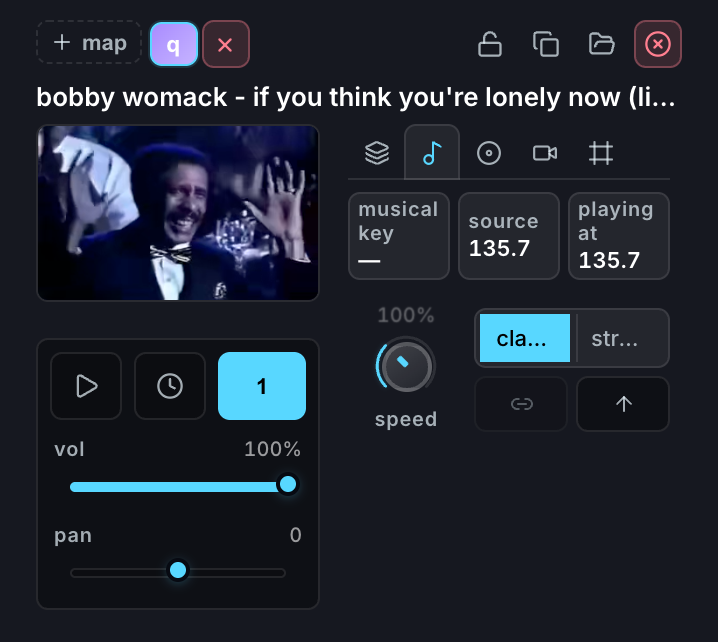
The clock icon in a pad’s preview controls queues that clip for the end of whatever is currently playing in its mute group, instead of starting the moment you press.
That turns a mute group into a loop switcher: put four same-length loops in one group, turn quantized launch on for each, and pressing a pad promises the change rather than making it — the current loop finishes its cycle and the new one takes over in phase. It’s the same launch rule the Song Board uses at Section scale.