Saved sessions
The capture library, keeping, retention, and recovery.
Capture editor work is your data, not a scratch draft. Only an explicit Delete removes a session. Closing the editor doesn’t, rendering from it doesn’t, and clearing the live rewind buffer doesn’t.
The Sessions panel
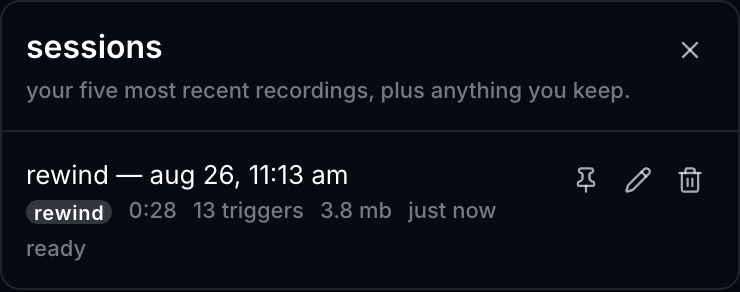
A Sessions button on the capture rail opens the library: every saved capture with its name, actual byte size, and — if anything went missing — the names of the lanes that did.
From there: Open, Rename, Keep, Delete.
Retention
The five most recent sessions per project are kept automatically, ordered by when they were created. Reopening an old session doesn’t protect it, because otherwise “the five latest recordings” quietly becomes “the five things I happened to look at”.
Keep is the escape hatch and sits outside that count. Press it on anything you’d be annoyed to lose, and it stops aging out.
Sessions referenced by a Song Section are also excluded from retention — not because you pinned them, but because something owns them. Deleting one is refused by name rather than silently cascading; remove it from the Song first.
Recovery
If the app closes unexpectedly, the recovery prompt offers Open or Later. “Later” hides the prompt — the session stays in the library either way.
At startup the app also re-verifies each ready session’s files. A session whose media went missing outside the app shows as degraded in the panel, with the missing lanes named, rather than failing later at render time.
What a session owns
A session owns copies of the files its events play. Editing or deleting the original clips afterwards can’t change what the session plays back — the snapshot is real, not a set of pointers.
Save a Copy carries sessions with the project, cloning their files into the new project’s own storage rather than sharing them.
Continuing a session
A saved looper session can go back to the live looper as a branch, with its committed layers as the checkpoint you overdub onto. See The live looper.